Climb Reflect
Tracking climbing sessions and progress across iPhone and Apple Watch.
Climbing & fitness · Mobile + Watch
- Project type
- Personal product project
- Role
- Product Designer
- Team
- 1 designer · 1 developer
- Timeline
- 3 weeks · 2026
- Scope
- Product Definition · UX/UI · Design System
- Figma
- FigJam
- Google Sheets
- Git
Overview
Remember the climb. Build on what you learned.
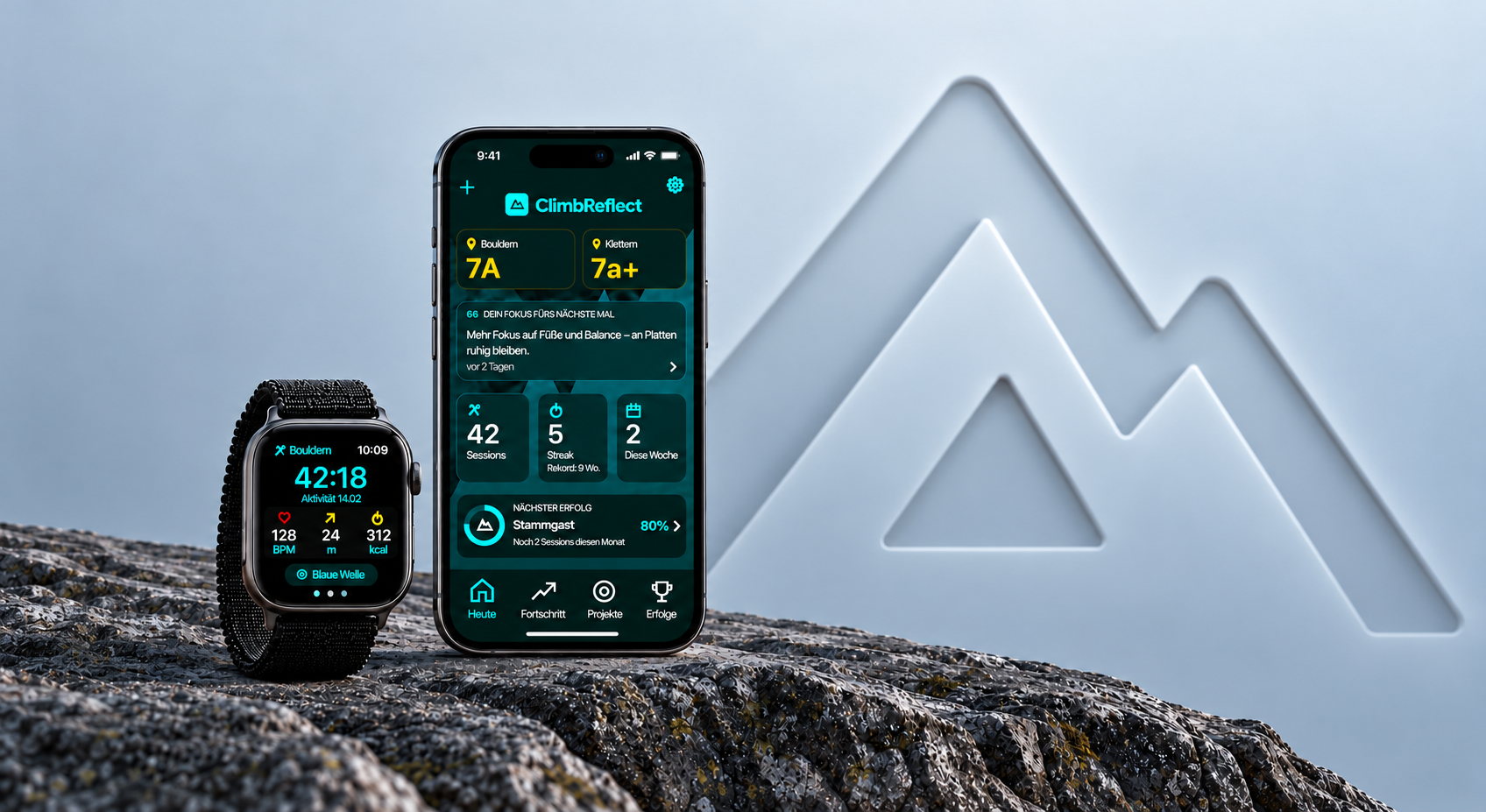
Climb Reflect connects Apple Watch recording with an iPhone climbing journal. Capture attempts at the wall, reflect after each session, and bring those lessons into the next climb.
I designed the product, and my partner developed it. We use the app together for our own climbing sessions.
The Problem
We remembered the hardest climb. We forgot what helped us get there.
After a session, attempts, technique insights, and lessons were scattered across fitness records, notes, and memory. Logging on a phone interrupted climbing, while the data we kept rarely helped us decide what to work on next.
At the wall
Phone logging interrupted the session.
After the session
Fitness records missed technique and context.
Before the next climb
Previous lessons were difficult to revisit.
Based on our own climbing experience — two users.
At the Wall
Record the attempt. Stay focused on the climb.
Logging needed to fit between attempts with minimal attention. I kept start, stop, and result entry on Apple Watch, while project and shoe selections carry across attempts within the session.

W2 · Live
Check the session at a glance

W3 · Versuch
Start and stop an attempt

W4 · Ergebnis
Record a top, attempt, or abandoned attempt
After the Session
Turn today’s experience into tomorrow’s focus.
The Watch captures the session data. On iPhone, I designed reflection around what sensors can’t capture: what we learned, what felt difficult, and what to improve. The final answer returns as a focus card before the next session.
From reflection to the next climb

AFTER THE SESSION
BEFORE THE NEXT CLIMB
WHAT I WANT TO IMPROVE
Mehr Fokus auf Füße und Balance – an Platten ruhig bleiben.
NEXT-SESSION FOCUS
Mehr Fokus auf Füße und Balance – an Platten ruhig bleiben.
Meaningful Progress
Fewer charts. Clearer signs of improvement.
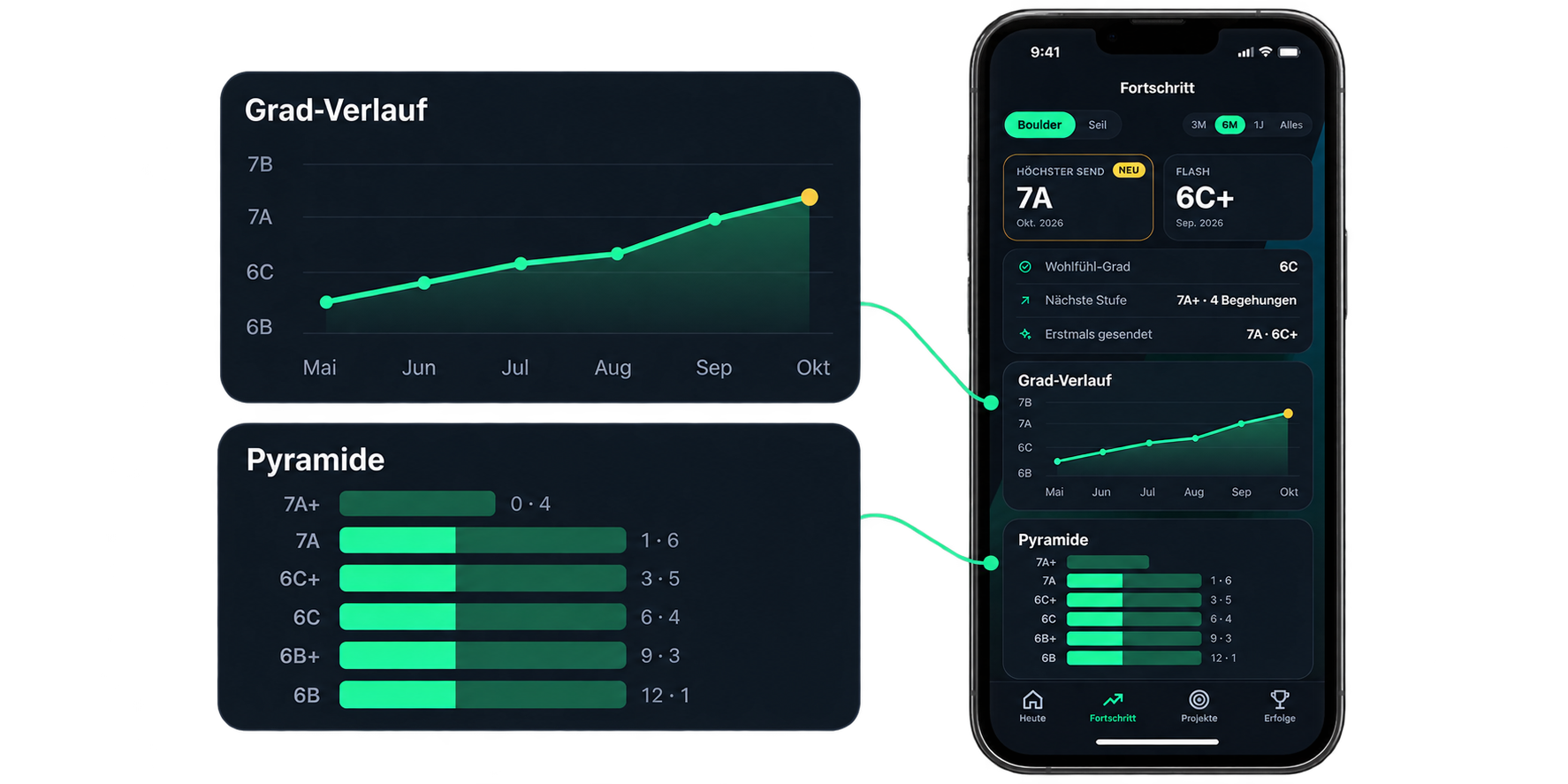
The first statistics view grew to 13 equally weighted cards that we rarely used. I rebuilt it around climbing-specific questions: what level am I climbing, how is it changing, and which grades need more attempts?
Bouldering and rope climbing stay separate. Rates appear only after five ascents, with the sample size visible.
Outcome & Next Steps
Designed for our sessions. Built for everyday use.
In three weeks, I designed Climb Reflect and my partner developed the iPhone and Apple Watch app. We now use it to record attempts, reflect on sessions, and revisit our climbing progress.
Designing for ourselves made iteration immediate, but our experience represents only two users. Next, I would test whether other climbers can record an attempt, understand the progress views, and revisit a reflection without guidance.

